
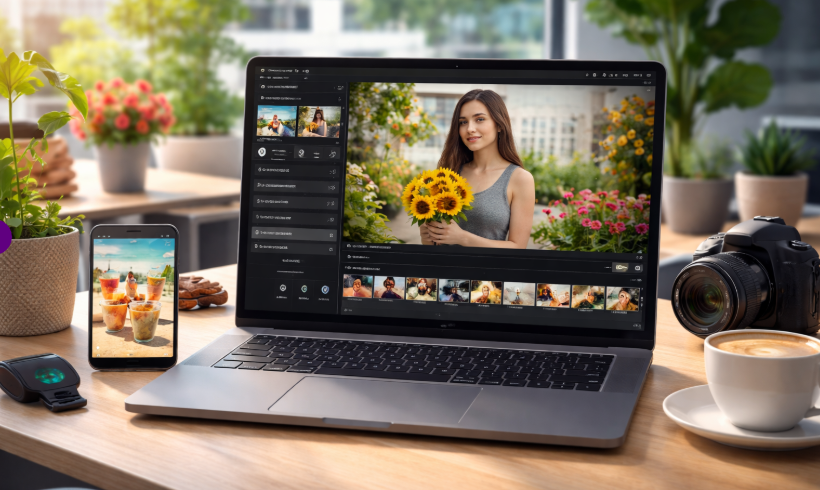
Dreamina AI Video Now Integrated in CapCut Editing

Dreamina AI Video is now integrated into CapCut, offering a faster and more accessible way to create content. Built by ByteDance, this tool allows users to generate and edit videos using text, images, or clips. As a result, creators no longer need advanced editing skills to produce engaging visuals.
At the same time, the shift in the AI video landscape has opened new opportunities. While some competitors slowed down development, ByteDance is moving forward with practical solutions. So, let’s explore what this means for everyday creators.
What This AI Video Tool Actually Does
To begin with, the system can generate videos from simple text prompts. You just describe a scene, and it creates a short clip automatically. In addition, you can enhance results by adding reference images or videos.
Unlike older tools, the output looks smoother and more realistic. Movements feel natural, and lighting adjusts properly across scenes. Because of this, the final video appears more polished and usable.
Currently, clips can be generated up to 15 seconds long in multiple aspect ratios. Therefore, it fits perfectly for platforms like TikTok, Reels, and Shorts.
One of the biggest advantages is flexibility. This tool supports text, images, audio, and video inputs together. As a result, creators can build complete videos without switching tools.
For example, you can upload a product image along with a voice clip. Then, the system generates a promotional video with synced visuals and sound. Moreover, it can mimic camera angles and styles from reference clips.
Common use cases include:
- Product demonstrations with clean visuals
- Tutorial videos with smooth motion
- Short storytelling clips with consistent characters
- Music-based videos synced to audio
Because of its multimodal design, it adapts easily to different creative needs.
How It Works Inside CapCut
Using this feature inside CapCut is simple. First, open the app and navigate to the AI video section. Next, choose the model and enter your prompt.
After that, you can upload supporting media like images or short clips. Then, adjust the influence level to control how closely the AI follows your input.
Everything appears directly on the editing timeline. Therefore, you can refine the output without leaving the app. In addition, audio syncing happens automatically, which saves a lot of manual effort.
Availability and Where You Can Access It
At the moment, the feature is rolling out in selected regions. These include countries such as Brazil, Indonesia, Malaysia, Mexico, and the Philippines.
Meanwhile, users in other regions may need to wait. The rollout has been gradual due to safety and copyright considerations. However, expansion is expected soon.
You can explore more here: dreamina.capcut.com
Why This Matters for Video Creators
For creators, this update brings several real benefits. First, it speeds up content production. You can test ideas quickly without filming everything from scratch.
Second, it improves existing footage. For instance, lighting, transitions, and motion can be enhanced with minimal effort.
Finally, it reduces costs. Small teams can now create high-quality videos without expensive tools or equipment. Because of this, content creation becomes more accessible to everyone.
Safety and Responsible Use
Importantly, the system includes safeguards. It does not allow generating videos based on real human faces. Additionally, it blocks attempts to recreate copyrighted content.
Each video also includes an invisible watermark. This helps track AI-generated content if needed. Therefore, creators can use the tool while respecting legal boundaries.
Still, users should always review their inputs and outputs carefully.
What to Expect in Future Updates
Looking ahead, improvements are likely. Developers are expected to expand features based on user feedback.
For example, longer video generation and more editing controls could be introduced. In addition, global availability will likely increase over time.
As AI tools evolve, this feature shows how editing is becoming faster and more intuitive.
Final Thoughts
Overall, Dreamina AI Video adds a powerful layer to CapCut without complicating the workflow. It simplifies video creation while maintaining quality, which is exactly what most creators need today.
If you already use CapCut, trying this feature could significantly improve your process. And if not, this might be a good reason to start.
FAQ
What is Dreamina AI Video?
It is an AI-powered tool developed by ByteDance that creates short videos using text, images, audio, or clips.
Can beginners use this feature?
Yes. The interface is simple, and most processes are automated.
Does it require video editing experience?
Not really. Even beginners can create professional-looking videos with minimal effort.
Is it available worldwide?
Not yet. However, more regions are expected to gain access soon.
Author Profile

- Online Media & PR Strategist
- Hello there! I'm Online Media & PR Strategist at NeticSpace | Passionate Journalist, Blogger, and SEO Specialist
Latest entries
 AI PlatformMarch 27, 2026Dreamina AI Video Now Integrated in CapCut Editing
 AI WorkflowsMarch 26, 2026Manus Story Analysis: AI Deal, Meta & China Impact
 AI WorkflowsMarch 25, 2026Multimodal AI Finance Transforms Complex Workflows Today
 Computer Aided-EngineeringMarch 24, 2026AI Nuclear Energy Future: Smarter, Safer Power Systems
