
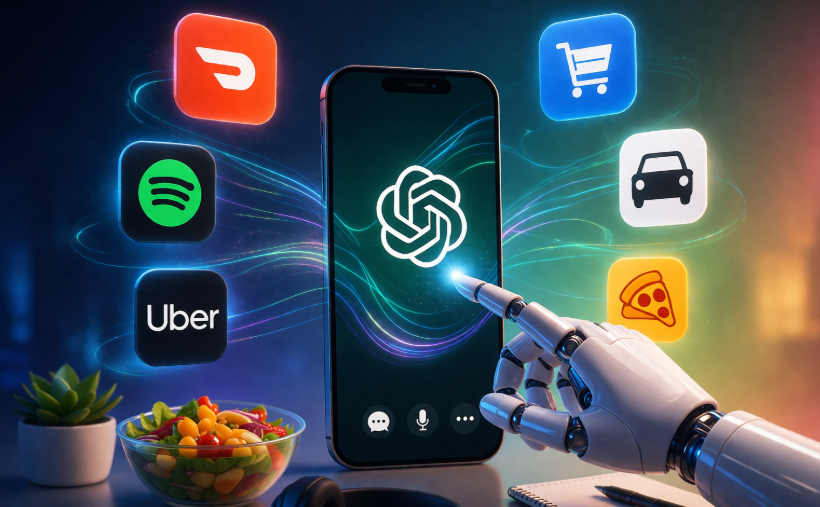
ChatGPT App Integrations Guide: Apps, Setup & Tips

ChatGPT app integrations are changing how we interact with everyday apps by bringing everything into one smart assistant. Instead of switching between multiple platforms, you can now order food, build playlists, or book rides directly through a single conversation. This guide keeps things simple, practical, and easy to follow so you can start using these tools right away.
You will learn how to connect services, use them effectively, and make the most of these integrations in daily life.
Getting Started with ChatGPT App Integrations
To begin using ChatGPT app integrations, open the ChatGPT mobile app on your phone. Navigate to the settings menu and tap on “Apps and Connectors.” You will see a list of supported platforms ready to connect.
The process is straightforward. Select an app, sign in, and grant permission. Once connected, ChatGPT can interact with that service on your behalf.
For official setup help, you can also refer to OpenAI’s documentation.
Always review permissions before connecting. This ensures you stay in control of your data.
Setting Up ChatGPT App Integrations Easily
Once inside the settings, linking accounts takes only a few steps. ChatGPT app integrations are designed to be quick and user-friendly.
For example, when connecting Spotify, you allow access to your listening history. This helps ChatGPT generate more accurate recommendations. Similarly, connecting Uber enables location-based ride suggestions.
You can disconnect any service at any time. This flexibility makes it easy to test different integrations without commitment.
ChatGPT App Integrations for Food Delivery
Food ordering becomes much easier with ChatGPT app integrations, especially through DoorDash.
Instead of browsing menus manually, you can ask ChatGPT something like:
“Suggest a quick dinner plan and add ingredients to my cart.”
The assistant creates a meal idea and sends items directly to your DoorDash cart. You simply review and complete the order.
DoorDash works with grocery stores and restaurants, making it useful for both meal planning and last-minute orders.
ChatGPT App Integrations for Music Streaming
Music lovers benefit greatly from ChatGPT app integrations through Spotify. The AI acts like a personal DJ.
Ask something like:
“Create a chill evening playlist.”
ChatGPT instantly builds a playlist in your Spotify account. You can also request podcast suggestions, audiobook ideas, or artist recommendations.
Because it uses your listening data, the results feel tailored and natural. Explore Spotify features here.
App Integrations for Transportation
Getting around is easier with ChatGPT app integrations and Uber. Instead of opening multiple apps, you can simply type:
“I need a ride to the airport in 20 minutes.”
ChatGPT shows available ride options like UberX or Comfort. You confirm the booking in the Uber app.
This integration saves time, especially when you are in a rush. It also works with Uber Eats for restaurant browsing and ordering.
More ChatGPT App Integrations to Explore
Beyond the basics, ChatGPT app integrations support a wide range of services:
- Booking.com – Find hotels based on budget and dates
- Expedia – Compare flights and travel deals
- Canva – Create designs from simple prompts
- Figma – Build diagrams and workflows
- Quizlet – Turn notes into flashcards
These tools help you stay productive without leaving the chat interface. You can manage multiple tasks in one place, which saves both time and effort.
Tips for Using App Integrations Safely
While ChatGPT app integrations are powerful, using them wisely is important.
Keep these tips in mind:
- Always check permissions before connecting apps
- Use clear and specific prompts
- Test one integration at a time
- Regularly review connected services
- Protect your personal data
Short and direct prompts usually give better results. For example, instead of saying “plan a trip,” specify dates, location, and budget.
Why ChatGPT App Integrations Matter
The real value of ChatGPT app integrations lies in convenience. Instead of juggling multiple apps, you manage everything through one interface.
This shift makes ChatGPT more than just a chatbot. It becomes a daily assistant that helps with real tasks like:
- Ordering food
- Booking rides
- Creating playlists
- Planning travel
- Managing projects
As more apps join the ecosystem, the possibilities will continue to grow. .GPT-5.3 Instant Model Fixes ChatGPT’s Tone Problem.
Conclusion
You now have a complete understanding of how ChatGPT app integrations work and how to use them effectively. From food delivery with DoorDash to music on Spotify and rides with Uber, these tools simplify everyday tasks.
The setup is quick, the benefits are clear, and the experience feels seamless. Start by connecting one or two apps and explore how they fit into your routine.
FAQs
What are ChatGPT app integrations?
They are connections that allow ChatGPT to interact with external apps like Spotify or Uber to perform real-world tasks.
Are ChatGPT app integrations free?
Most integrations are available in the standard app, though some services may require their own subscriptions.
Can I remove integrations anytime?
Yes, you can disconnect any app from the settings menu instantly.
Are these integrations available worldwide?
They are currently expanding. Availability depends on region and service provider.
Is my data safe with ChatGPT app integrations?
You control permissions and can review or remove access at any time.
Author Profile

- Online Media & PR Strategist
- Hello there! I'm Online Media & PR Strategist at NeticSpace | Passionate Journalist, Blogger, and SEO Specialist
Latest entries
 AI WorkflowsApril 6, 2026ChatGPT App Integrations Guide: Apps, Setup & Tips
 AI WorkflowsApril 3, 2026OpenAI TBPN Acquisition: What This Deal Means Next
 AI WorkflowsApril 2, 2026Beehiiv Podcast Expansion Challenges Patreon Models
 Artificial InteligenceApril 2, 2026AI Chip Design Trends: Cognichip Raises $60M Now
