
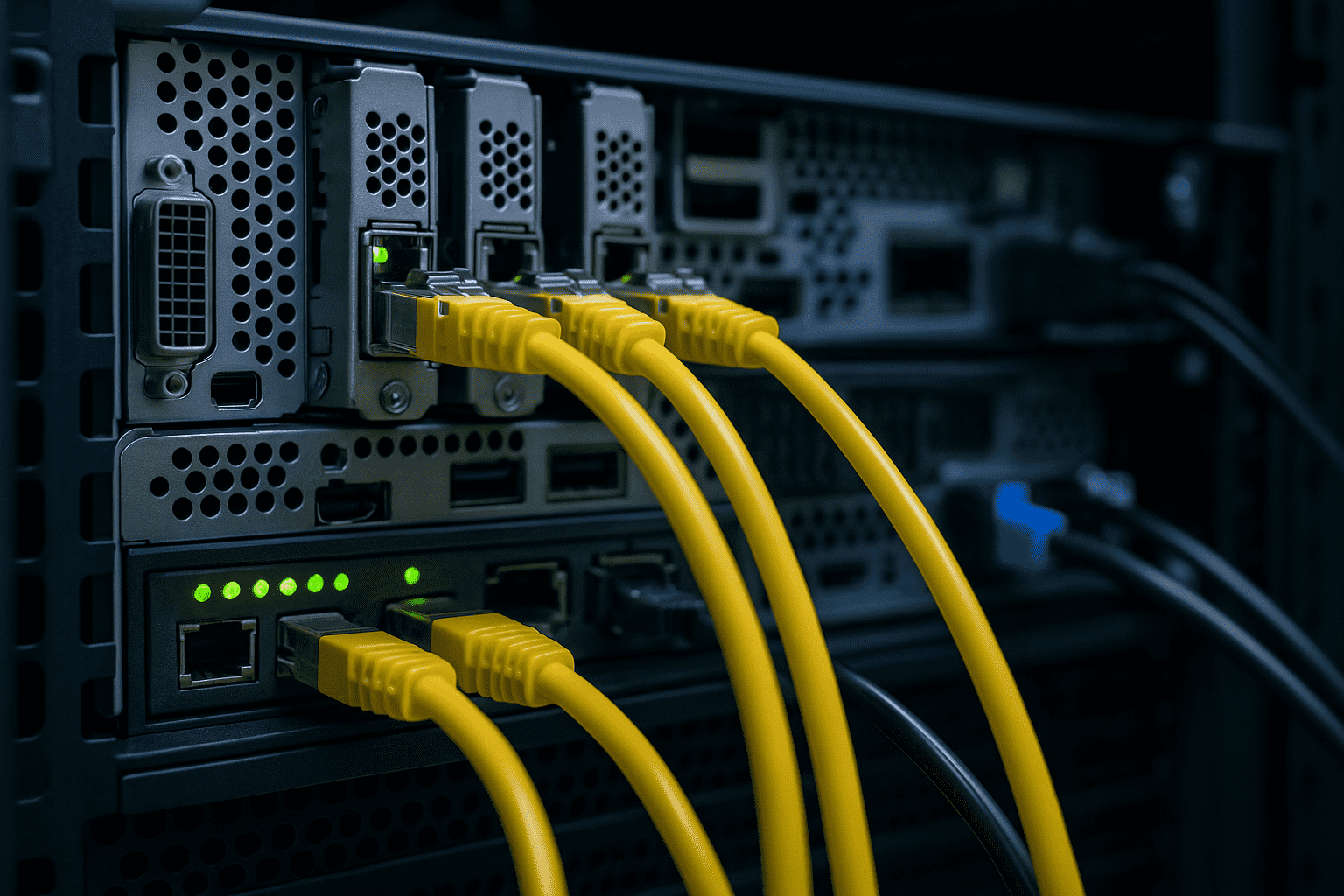
Colocation Hardware Guide: Smart Server Buying in 2025

Building or refreshing servers for a remote rack isn’t the same as buying a workstation for your office. In a shared facility, you pay for every watt, every rack unit, and every remote hands ticket. That’s why a practical colocation hardware guide is essential in 2025 especially when power prices and density demands are rising faster than ever.
This updated version gives you the real-world specs that matter, the mistakes buyers still make, and how 2025–2026 hardware changes your decisions. You’ll leave with a clear roadmap for selecting gear that saves money, avoids downtime, and keeps your rack ready for the future.
Why Desktops Don’t Belong in a Colocation Hardware Guide
Consumer or gaming hardware usually looks cheaper until the bill arrives. A gaming CPU that spikes to 250 W isn’t just a local heat problem; at $0.12–$0.25 per kWh, that can add $300–$400 a year in colo power alone. Desktop cases also don’t accept proper rails, and once something freezes at 3 a.m., you’ll immediately regret missing real remote management.
Those hidden costs are why standard PC parts almost never make sense in a colocation hardware guide built for long-term rack deployments.
Key Specs to Prioritize in Your Colocation Hardware Guide
1. Power Efficiency Makes or Breaks Colo Budgets
Modern CPUs from the AMD EPYC 9004/9005 families and Intel Xeon 6 “E-series” deliver better work per watt than any older generation. Look for real-world sustained wattage, not just TDP numbers on a spec sheet. Sites like ServeTheHome publish thorough power-draw tests that matter far more than vendor claims.
Helpful benchmarks:
-
Target ≤ 2 W per core for compute-heavy workloads
-
Select 80 PLUS Titanium or Platinum PSUs
-
Use DDR5-5600 or faster ECC RDIMMs for lower power per GB
If your colocation hardware guide has one rule, it’s this: watts matter more than anything else.
2. Rails and Chassis that Actually Fit Your Rack
Not every 1U or 2U chassis includes rails, and many generic rails bend under load or scrape paint off racks. Dell PowerEdge and HPE ProLiant gear usually ships ready to mount, while many Supermicro chassis require separate rail purchases.
Buy rails from trusted manufacturers such as RackSolutions or OEM parts. A good colocation hardware guide always reminds you: rails are not optional they’re required for serviceability, airflow, and provider sanity.
3. Reliable Remote Management to Avoid Late-Night Drives
Lights-out management is mandatory for colo. Stick with:
-
IPMI 2.0 with Redfish
-
Dell iDRAC9/10
-
HPE iLO 6
-
Supermicro BMC with HTML5 console
Avoid boards that depend on Java KVM. Your future self will thank you.
Look for a dedicated management port, virtual media that mounts ISOs quickly, and two-factor authentication. A colocation hardware guide without strong BMC recommendations would be incomplete.
Storage That Works in a Colocation Hardware Guide
SSDs dominate in power, density, and reliability. Even for bulk archival, enterprise NVMe drives beat spinning disks on total cost once you factor in power and rack space.
Recommended options:
-
U.2, E3.S, and EDSFF for hot-swap NVMe
-
30 TB+ QLC enterprise SSDs from Solidigm or Kioxia for low-cost bulk
-
Skip consumer NVMe lack of power-loss protection risks data loss during outages
A colocation hardware guide for 2025 doesn’t even consider HDD-heavy builds unless you absolutely need low-cost cold storage.
Networking: Future Bandwidth at Today’s Prices
Most providers include at least one 10G port, but you should deploy hardware with 25G or 100G capability. A single 100G port via a modern Nvidia/Mellanox ConnectX-6 NIC can replace multiple cables and reduce complexity.
Fiber isn’t just for bandwidth it also cuts heat and improves long-term flexibility, something any colocation hardware guide should factor in.
Future-Proofing in a Colocation Hardware Guide: Beyond CMOS
Neuromorphic Compute (Loihi 3 and More)
Neuromorphic chips mimic brain-like behavior and can operate at a fraction of GPU power. Early adopters using Intel Loihi or BrainChip devices can run low-power inference for analytics, monitoring, or lightweight AI edge tasks.
Optical and Photonic Chips
Companies like Lightmatter and Ayar Labs have begun releasing photonic interconnects. Full optical compute may arrive around 2030, but your servers should support PCIe 6.0 and CXL 3.0 now to stay compatible.
Chiplets & 3D Stacking
Chiplet architectures are extending Moore’s Law by combining smaller dies into high-performance packages. Servers that support wider PCIe lanes and CXL memory pooling will remain relevant even as compute architectures evolve.
Future flexibility is a major theme in any colocation hardware guide worth reading.
Hardware Checklist from a Practical Colocation Hardware Guide
Before buying anything, confirm:
-
CPU total TDP ≤ 350 W (ideal ≤ 250 W)
-
Rack rails included or budgeted
-
Dedicated IPMI/iDRAC/iLO with Redfish + HTML5
-
80 PLUS Titanium PSUs
-
Onboard 25 GbE or higher
-
Enterprise NVMe in hot-swap form factors
-
Warranty allowing on-site service at your colo facility
This is the section most readers print and tape to their desk.
Conclusion
Picking the right server hardware for a remote rack isn’t glamorous, but it’s one of the highest-ROI decisions you’ll make. Power efficiency, proper rails, stable BMC access, and modern storage all impact both your bill and your uptime. Bring this colocation hardware guide when planning your next node you’ll save money, reduce headaches, and future-proof your rack for years.
What’s the one component you never compromise on in colo builds? Colocation Big Data Solutions for Analytics Growth
FAQ – Colocation Hardware Guide
Q: Are used servers still worth deploying?
A: Possibly. But older Xeon and EPYC parts draw significantly more power. Savings often disappear after 18–24 months.
Q: Does rack depth matter?
A: Absolutely. Most facilities require ≤ 32–34 inches including cable slack. Verify before ordering.
Q: Should I go single-socket or dual-socket?
A: Single-socket platforms dominate in price, performance, and efficiency unless you need >256 cores or extreme RAM density.
Q: Any motherboards to avoid?
A: Anything still using IPMI 1.5 or lacking a dedicated management port.
Q: When will neuromorphic or photonic servers arrive?
A: Neuromorphic accelerators: 2026–2027. Photonic compute: around 2030+. Build infrastructure now for PCIe/CXL adaptability.
Author Profile

- Hey there! I am a Media and Public Relations Strategist at NeticSpace | passionate journalist, blogger, and SEO expert.
Latest entries
 AI WorkflowsJune 6, 2026Microsoft Scout Agent Transforms Productivity Across M365
 Design and SimulationApril 30, 2026Instagram Content Aggregators Rules for Reach 2026
 AI WorkflowsApril 29, 2026Agentic AI Model: GPT-5.5’s Biggest Leap Yet Explained
 Robotics SimulationApril 17, 2026Robot Brain Technology Transforms Modern Robotics Systems
